Zombie Boyfriend AI Video Generator.
He looks different, but you recognize the scarf, the haircut, the way he pauses. Cast your boyfriend as the transformed partner and yourself as the survivor. Use the two-photo studio below for an original encounter, embrace and imagined memory.
Create my boyfriend story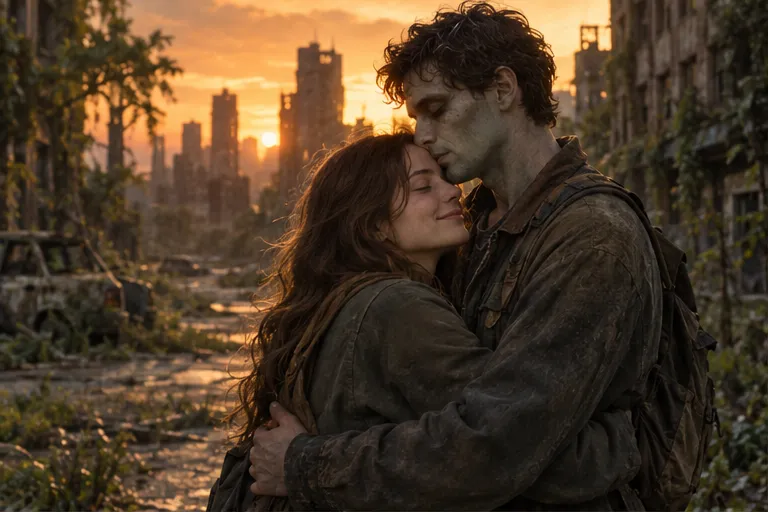
Create your Boyfriend story from two photos
Choose photos by the role labels, review the scene and output settings, then generate.
Put your boyfriend on the left
Upload his normal portrait in the left slot and your portrait in the right slot. He is the transformed character; you are the survivor. The studio maps your photo to model reference 1 and his photo to reference 2 automatically. Each photo should show one person.
Keep the details that make him recognizable
Choose a sharp portrait showing his eyes, jawline, haircut and facial hair. Avoid sunglasses, face-covering scarves and heavy filters. A familiar jacket or scarf below the face can anchor the story. Use JPG, PNG or WebP, under 10 MB per photo, at least 300 × 300 pixels.
An original boyfriend reunion storyboard
The survivor recognizes a familiar detail, lowers their defenses and chooses an embrace. The memory should retain his hairstyle and face shape, while returning his appearance to normal. The prompt below is an optional external-tool brief; the on-page studio already supplies its own story and does not accept pasted prompts.
Reference image 1 is the surviving partner. Reference image 2 is the boyfriend who has turned into a zombie. Keep his hairstyle, facial hair, face shape and clothing recognizable. In an empty station, the survivor recognizes his familiar scarf and slowly opens their arms. He pauses, steps closer and gently returns the embrace. At first contact, cut to a warm memory with the same two people, positions and shoulder pose. Subtle pale makeup, intact skin, natural hands, no attack. One approach, one embrace, one memory transition. Original fictional scene.
Check his face at the transition
Pause at recognition, first contact and the first memory frame. Check beard, hairline, face shape, hands and which person transforms. If roles swap, check the upload labels; if the face drifts, use a clearer portrait and less obstructed framing. A prompt cannot guarantee an exact likeness.
Choose the scene and check the cost
The existing couple studio creates a 15-second, 720p video with sound in 9:16 or 16:9. Fast costs 20 credits; Seedance 2.5 costs 33 credits. Review the selected model and displayed charge before submitting. Memories are fictional AI scenes, not recovered recordings.
Common questions
Can my boyfriend be the survivor instead?
This page assigns him the transformed role. Use the couple page and put the person who transforms on the left and the survivor on the right to reverse the story.
Is there a verified boyfriend example here?
There is no dedicated verified boyfriend output on this page. The storyboard is an original creative brief; actual generated faces, motion and transitions can vary.
Does this need a CapCut template?
No. The studio uses the existing two-photo couple workflow. You may edit the downloaded video later if you want extra captions or different music.