Zombie Couple AI Video Generator.
Put both partners in a fictional zombie couple AI story. One turns, the other recognizes them, and the embrace connects to a happier memory. Choose the roles through the photo slots rather than asking the model to guess from a group image.
Create your couple story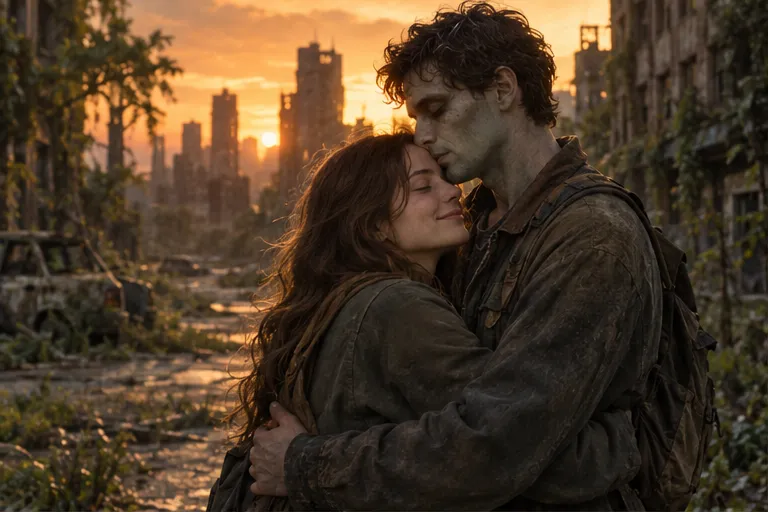
Create your couple story from two photos
Choose photos by the role labels, review the scene and output settings, then generate.
Choose who turns before uploading
The left portrait belongs to the partner who turns. The right portrait is the survivor. Either partner can take either role; decide first and check the labels. This two-photo workflow does not need a specific gender pairing or a photo of you together.
Pick two references of similar clarity
Use one main adult face per image, with even lighting and no strong filters. When one portrait is sharp and the other is tiny or blurred, the two characters may not feel equally recognizable. Separate portraits can be taken on different days; identity detail matters more than a shared background.
Tell the choice through body language
Keep recognition, lowered defenses, open arms, and the approach in the story. The emotional point is the decision to meet the transformed partner. A long fight or chase can distract from that decision and overcrowd a short clip. The current template requests a restrained, non-graphic encounter.
Use the same pair in the warm scene
Select a city-to-park, woodland-to-garden, or dusk-to-seaside pairing. The model is asked to preserve the couple and match the embrace across scenes. The warm segment is a fictional memory with the transformed partner healthy again, not a cure in the present-day encounter.
Review both people, not just the first face
A 15-second request uses 20 site credits. Inspect both faces in the approach, contact, and memory, along with hands and screen positions. Download the clip before its result link expires. Get both partners’ permission before using their photos or sharing the story.
Common questions
Can either partner become the zombie?
Yes. Put the selected transformed partner on the left and the survivor on the right.
Can I upload one couple photo twice?
Use separate single-subject references for clearer role assignment. The input slots are designed for two distinct characters.
Does the scene reproduce our real memory?
No. The presets create an imagined park, garden, or seaside scene. They do not reconstruct historical footage.
Is exact likeness guaranteed?
No. AI can alter identity and movement. Review both people and replace unsuitable references before making another request.