Zombie AI Trend Dog Video Generator.
Turn a normal photo of your dog and one of you into a fictional zombie reunion. The dog approaches its owner in a changed world, then the story cuts to a warm memory. Start with clear eyes, ears, muzzle, and coat markings.
Create your dog story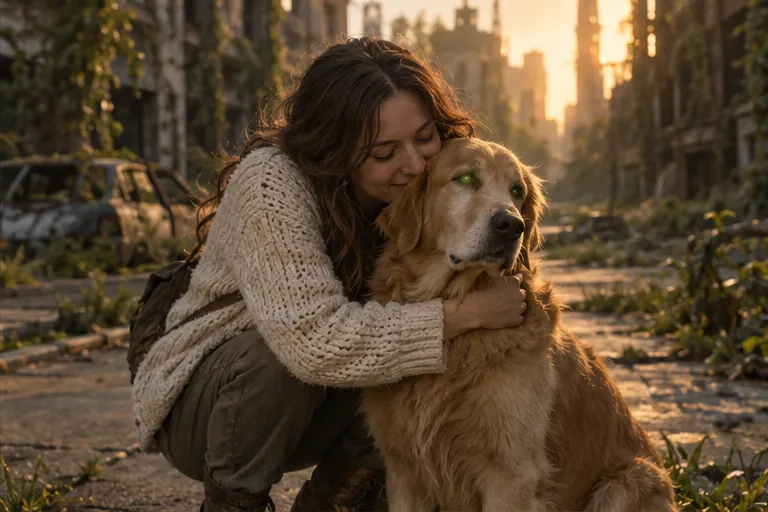
Create your dog story from two photos
Choose photos by the role labels, review the scene and output settings, then generate.
Give the dog the left reference slot
Upload the dog on the left and its adult owner on the right. Use one main subject per reference. A clear dog portrait is more useful than a tiny pet in a wide family photo. Normal coat and eyes are enough; you do not need to edit a zombie dog photo first.
Keep the markings that make it your dog
Choose even light with the ears and muzzle visible. Distinctive patches, a white chest, or a familiar collar may help you judge whether the result resembles your dog. Avoid a covered face or extreme perspective. These details are reference cues, not guarantees that the model preserves every accessory.
Use a natural dog greeting
A walk toward the owner, a gentle lean, or a nuzzle suits this story better than asking the dog to use human arms. Inspect paws, leg count, body size, and the contact with the owner. Pet anatomy can vary in AI output, so keep the greeting simple and review the finished movement.
Choose a memory setting for the dog
The available presets pair a deserted street with a park, an overgrown path with a garden, or dusk with the seaside. They create fictional memories rather than recover real outings. The generated story requests an embrace-to-memory connection; the precise camera motion and transition may vary.
Review the dog video before sharing
The current request is 15 seconds and uses 20 site credits. Choose vertical or widescreen, quality, and sound in the studio. Inspect recognizable features and movement before downloading. Concept artwork here is illustrative; completed dog-video quality is not guaranteed by that artwork.
Common questions
Can I use an older dog photo?
Yes, if you have permission to use it and the features are clear. The resulting memory remains an AI-created fictional scene.
Will it preserve the exact breed and collar?
Exact details are not guaranteed. Use clear references and check the generated face, coat, proportions, and accessories.
Does the dog need zombie makeup?
No. Upload a normal dog photo; the story instructions describe the transformation and healthy memory.
How much does a dog video cost?
It uses the same catalog as the homepage: 20 site credits for a 15-second request. The studio shows current availability.