Zombie AI Trend Cat Video Generator.
Make a fictional cat-and-owner reunion with two normal photos. Keep the cat small, recognizable, and naturally feline as the cold encounter becomes a sunny memory. This dedicated cat entry labels both photo roles for you.
Create your cat story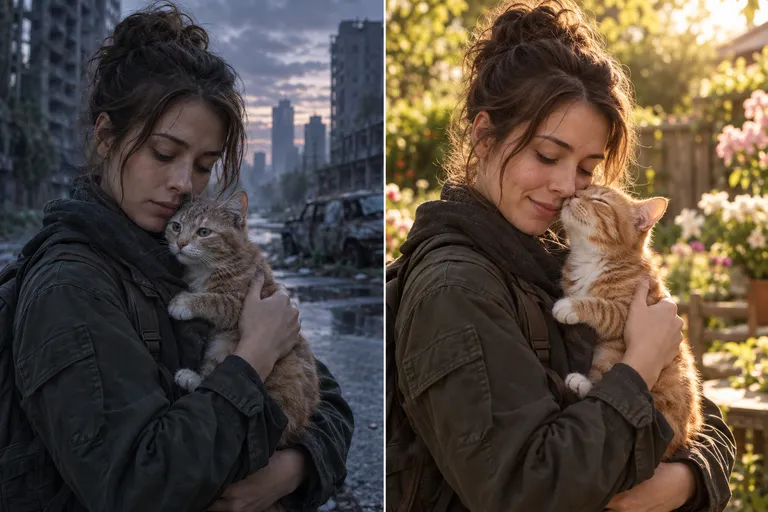
Create your cat story from two photos
Choose photos by the role labels, review the scene and output settings, then generate.
Use a portrait showing the whole cat face
Choose a photo with both eyes, ears, nose, and whiskers visible. A cat buried in a blanket or photographed from far away gives little identity detail. Use a separate adult-owner portrait and place the cat in the left upload; the owner is the survivor on the right.
Protect the coat pattern and eye shape
Look for distinctive forehead stripes, face patches, a white chin, or a recognizable ear shape. Avoid heavy photo filters that erase those details. The model may still change patterns or eye color; compare the finished cat with the original reference before sharing.
Plan a cat-sized gesture
A quiet approach, a head rub, or resting against the owner makes the reunion readable without a dramatic leap. Check the owner’s hands and the cat’s paws at contact. The cat should not become dog-sized or grow human arms; simpler movement makes those checks easier.
Continue the same cat into the memory
The story uses the same cat reference for the encounter and healthy memory. Choose the garden, park, or seaside pairing in the existing presets. The memory is imagined, so it does not reproduce a specific day you filmed. Matching pose and movement are requested but cannot be promised exactly.
Inspect the 15-second cat story
Use 9:16 for a vertical clip or 16:9 for widescreen, choose 720p or 1080p, and set sound on or off. The request uses 20 site credits. Check small features, limb count, and contact before downloading; the original cat illustration is a concept, not a tested video output.
Common questions
Does it work with black or long-haired cats?
You can submit their references. Choose lighting that separates the face from the coat and inspect the output; exact appearance is not guaranteed.
Do I upload a zombie cat image?
No. Use a normal portrait. The storyboard describes subtle transformation details and the healthy cat in the memory.
Can I use a kitten photo?
The reference should show recognizable features and natural proportions. The owner reference is an adult; review any change in the animal’s size.
Is this the same backend as the pet page?
Yes. This entry supplies cat-specific labels while using the existing pet relationship and generation settings.