That Was a Table: Put Yourself in the Fancy Cafe Moment
A tiny table, a very confident entrance and an awkward discovery. Fancy Cafe AI lets you and a friend take the roles in the wrong-seat cafe scene.
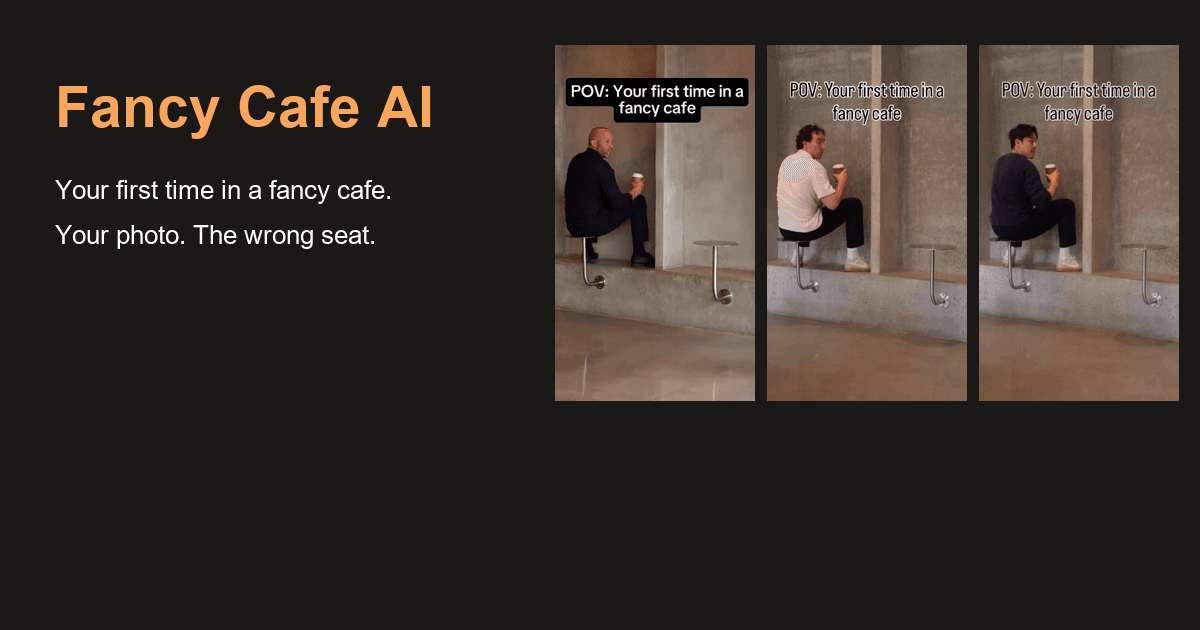
You walk into a minimalist cafe, spot a small metal stool and settle in with your coffee. A perfectly reasonable choice, you think.
Then another guest arrives, sits on the concrete bench beside you and puts their cup on the little disc you have been sitting on.
You look down. Oh.
That quiet discovery is the joke behind the “First Time in a Fancy Cafe” video trend. The furniture takes a little figuring out, and the person who confidently chose a seat now has to move without making the situation any more awkward. It is a small scene that works almost as soon as you see it.
Fancy Cafe AI turns that scene into a photo-based video template. You can cast yourself as the person in the wrong seat, or bring a friend and decide who gets to walk in with the coffee.
Decide who gets the wrong seat
Casting is half the fun when you are making something for people who know each other.
Think of the friend who walks into every unfamiliar place as though they have been going there for years. Put that face on the person perched on the tiny table, and the scene already has a familiar little joke. The arriving guest only needs to take the proper seat and let the realization happen.
The site offers Solo and With a friend modes. Solo uses one portrait to replace the person sitting on the table, while keeping the other character from the reference. With a friend uses two separate portraits, so both roles can be people you know.
You can each send a selfie. There is no need to arrange a photo together first.
The order matters: photo one supplies the person who takes the wrong seat; photo two supplies the guest who arrives later. Agree on that before choosing the pictures, especially if both of you have strong opinions about who would actually make this mistake.
Let the template handle the scene
Filming this little joke would involve finding a suitable cafe, getting a friend to come along, setting up a camera and keeping a straight face long enough to finish the take.
Fancy Cafe AI starts with ready-made references instead. Its page currently shows Concrete cafe, The wrong seat and The quiet side-eye. Watch the examples, choose the mood you like and add the portraits for your cast.
The reference supplies the setting, action and camera direction. Your photos supply the replacement appearances. That gives a casual idea somewhere practical to start, without a blank prompt box or an editing timeline to work through.
Choose a well-lit portrait with a clear, unobstructed face. The site accepts JPG, PNG and WebP. If your phone saved the picture as HEIC, export a JPG first. For a two-person clip, prepare one portrait per role rather than trying to use a group photo for both.
Browse first, then choose whether to create
You can watch the reference clips and preview your photos for free. Generating a finished video uses purchased credits.
The site's current configuration lists 20 credits for a 15-second video at 720p, with a choice of vertical 9:16 or horizontal 16:9 framing. Credits are sold in one-time packs, so you can choose a pack when you have a scene you want to make.
Vertical framing is an easy starting point for a short social clip. Choose horizontal if that is how you want to show it. Once the video is ready, watch the faces, movement and audio before downloading the MP4. Save the file to your own device promptly, since the site's video records and temporary download links have limited availability.
There is no need to settle every setting on a first visit. Watch the reference scene first. You will probably know quite quickly whose face you are imagining in that seat.
Give the group chat a familiar cast
A stranger realizing they have been sitting on a table is a funny little moment. Recognizing a friend's face gives you something much more specific to send them.
You could start by putting yourself in the scene, then ask a friend whether they want the part of the arriving guest. Or agree on both roles together and see who is better suited to keeping a straight face while the other person quietly moves down to the bench.
Take a look at the references on Fancy Cafe AI. When you choose the photos, just make sure you have agreed on who goes first.
Based on Fancy Cafe AI's public pages reviewed on November 4, 2026. Cover: the site's public artwork.
Altri post
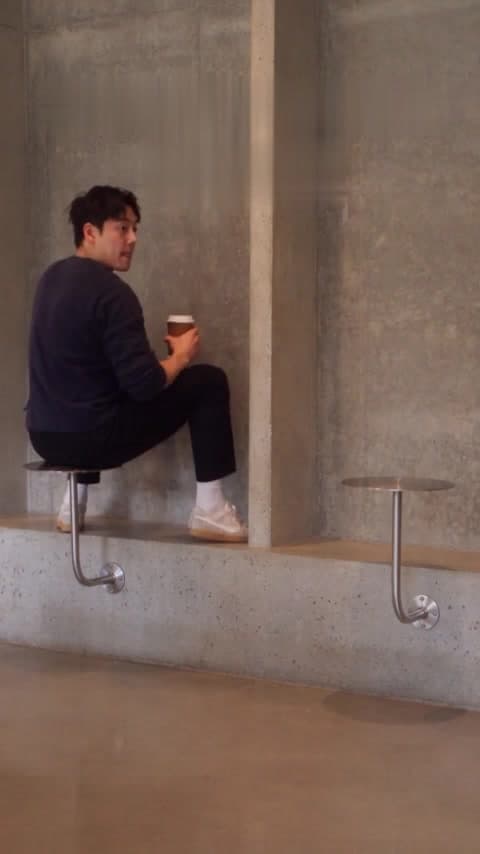
Don't Explain the Joke Before the Coffee Arrives
The wrong-seat cafe scene has a small reveal. Give viewers time to find it before adding the caption that tells them what to think.

Your Camera Roll Has More Stories to Tell: Meet HypeMigo
A selfie, a friend, a very serious-looking dog. HypeMigo gives familiar photos a playful new role in AI dance, duo and meme video templates.
Notiziario
Unisciti alla comunità
Iscriviti alla nostra newsletter per le ultime notizie e aggiornamenti