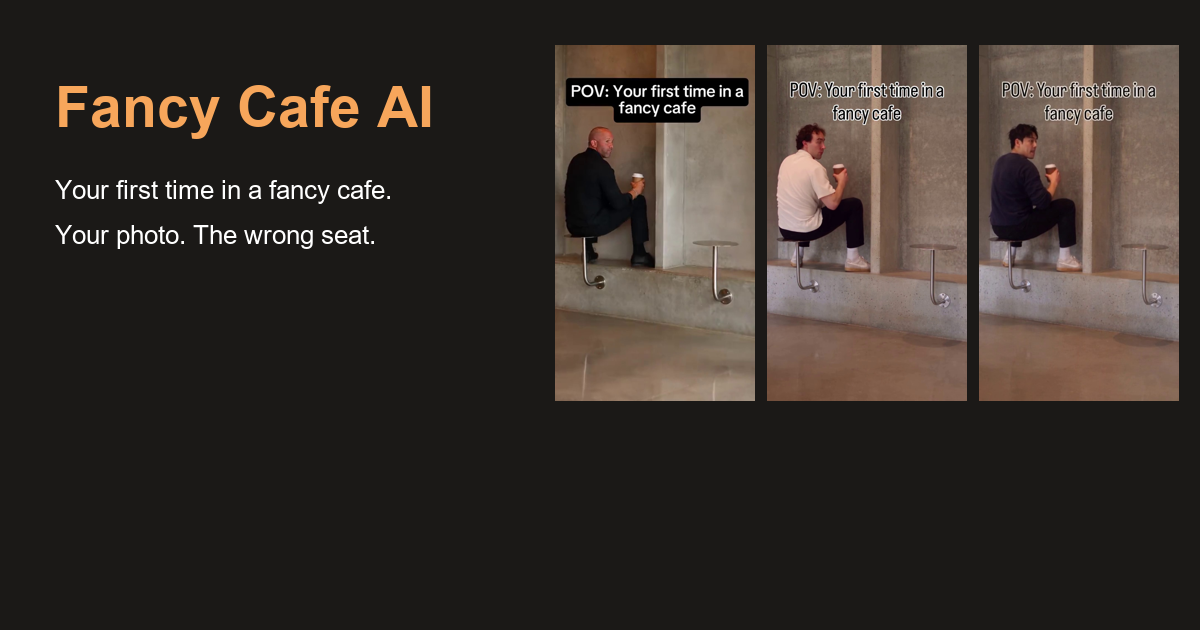
How to Make a Fancy Cafe AI Video With Two Selfies
Make a Fancy Cafe AI video with a friend using two separate selfies. Pick who sits on the table, choose portraits that work together, and frame the cafe scene for Reels or Shorts.
Say your friend sends you two options for a Fancy Cafe video. One is a sharp photo taken by a window. The other is a great picture from dinner, with one side of their face in shadow. The dinner photo might be the one you would keep in your camera roll. For a scene where your friend walks into a cafe and turns toward the camera, the window photo gives you more to work with.
That is the useful part of making a Fancy Cafe AI video with a friend. The scene is already laid out, so the choices you make before uploading are mostly about the cast. Who would sit down with absolute confidence? Who would walk in, take the actual seat and put a cup right next to them?
Who goes in Photo 1 and Photo 2?
In the With a friend mode, Photo 1 is the person sitting on the little table. Photo 2 is the guest who comes in and sits on the bench. The current two-person mode uses a fixed wall-corner cafe scene. The two selfies give that scene its cast, and the reference supplies the blocking and timing. Fancy Cafe AI studio
If one of you is famous for saying “I know a place” and immediately getting lost, give them the first slot. A friend who can communicate entire sentences with one look makes a good second guest. Those are casting ideas. The reference still determines what each person does on screen.
How to choose two selfies for the Fancy Cafe AI template
Ask each person for a single portrait with a sharp, front-facing face and even light. A bright window and a simple background will do. Heavy filters and sunglasses hide the details that make a friend recognizable. On iPhone, export a HEIC photo as JPEG first. The studio accepts JPEG, PNG and WebP. Fancy Cafe AI photo guidance
Open the two photos side by side before you upload them. If one face fills the frame and the other is barely visible at the far end of a table, find a closer photo for the second person. The two portraits can come from different days and different places. You are looking for a clear view of both faces, and similar framing makes that easy to judge at a glance.
Frame a Fancy Cafe AI video for Reels or Shorts
For a clip you plan to share in Reels, Shorts or a chat on your phone, start with 9:16. The studio also offers 16:9 for horizontal playback. The current clip runs for 15 seconds. You can choose 480p for 20 credits or 720p for 45, so choose the format and resolution before you generate. Browsing the reference and previewing your portraits are free. Rendering the clip uses purchased credits. Fancy Cafe AI settings and pricing
When the clip is ready, watch it on the screen where your friends will see it. Check that you recognize both people as they move and that the guest with the cup is easy to follow. Listen once, too, since the generated audio can differ from the reference. If you add a caption in an editor, leave the cup and the faces clear.
You can settle the casting with a single message to your friend. “Which of us would sit on the table first?” Once you agree, send one clear selfie each and put the answer in Photo 1. Open the Fancy Cafe AI studio
更多文章
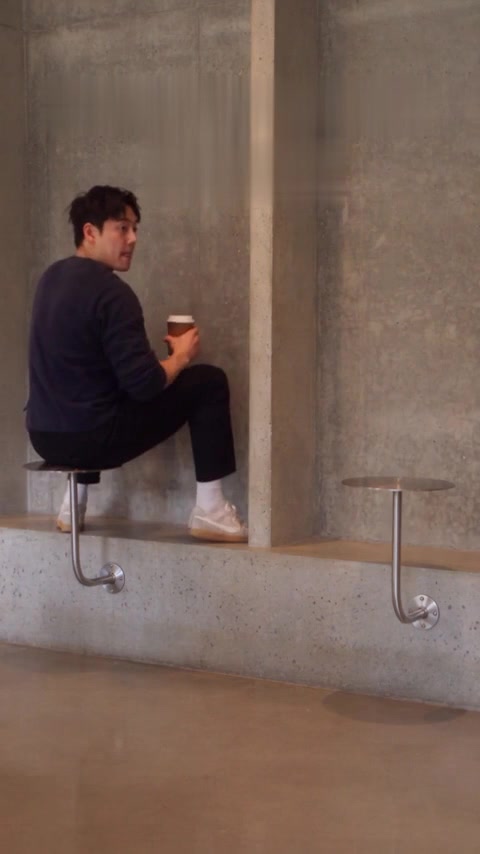
咖啡还没端过来,先别把笑点说完
坐错位置的咖啡馆短片,有一个很小的反转。字幕稍微晚一点,观众才有机会自己发现那个瞬间。

Bulin 47 AI 照片生成视频:让群聊里的熟人登上街头
用一张照片制作 Bulin 47 AI 街头 freestyle 视频,了解换脸模板、手机制作、人像选择、原声和生成费用,让熟悉的面孔换个场景出场。
相册里的照片,还能这样玩:认识一下 HypeMigo
朋友的自拍、狗狗一本正经的表情,都可以有个新角色。从僵尸爱情故事出发,逛逛 HypeMigo 的舞蹈、双人和宠物视频模板。
邮件列表
加入我们的社区
订阅邮件列表,及时获取最新消息和更新