Don't Explain the Joke Before the Coffee Arrives
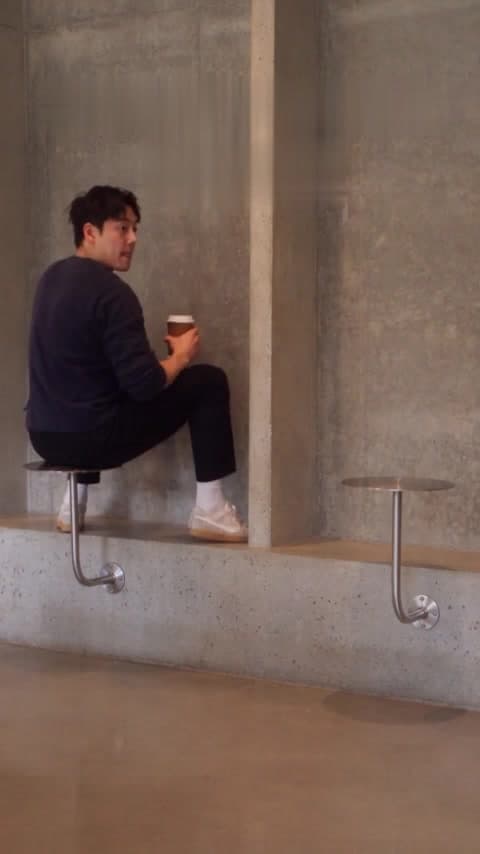
The wrong-seat cafe scene has a small reveal. Give viewers time to find it before adding the caption that tells them what to think.
Imagine a caption across the very first frame: “He thinks that table is a chair.”
It tells you exactly what is happening. It also spends the reveal before the scene has had a chance to deliver it.
That is an easy mistake to make with a short meme video. You have a funny clip, you want people to get it, and a helpful line of text starts explaining everything. Sometimes the better edit is to take that line away.
The references on Fancy Cafe AI are a useful scene to think about this with. There is very little to explain in advance. The furniture, a guest's confident choice and the arrival of a coffee cup can do the work in order.
Let the viewer make a small discovery
The satisfying part of a reveal is the instant the viewer joins two pieces of information.
At first, the person sitting there seems to have made a reasonable choice. Then someone else uses the furniture differently. The viewer catches up, and the original choice becomes funny in retrospect.
A caption that names the mistake immediately changes that experience. Now the viewer is waiting for a character to learn what the caption has already told them.
Neither approach is forbidden. But if you want the quiet discovery, try an opening line that leaves room for it: “We said we knew a place.” Or simply let the first shot begin without text.
The second person doesn't need a bigger performance
It is tempting to imagine the arriving guest pointing, laughing or making an exaggerated face. In this kind of scene, a perfectly ordinary action can be enough. Taking the intended seat and setting down a cup gives the first character a problem without announcing it.
This is an observation about the reference, rather than an extra control in the generator. Fancy Cafe's selected case supplies the action and camera plan. Uploading a portrait does not let you rewrite the guest's reaction or change an individual beat.
When choosing a reference, watch what the second person actually does. If you like a calm, understated version, choose the example that already has that feeling. Do not count on adding the performance later through a different selfie.
Check the reveal with the sound off
Before adding captions to a finished clip, watch it once without sound.
Can you tell what changed? Can you see the object that makes the first character's choice look different? Does the reaction have enough room to register?
If the answer is no, adding a long paragraph of explanation may make the video readable, but it will also change the kind of joke you are sharing. You might prefer a clearer section of the clip, or a shorter message when you send it privately.
Then watch with sound. Listen for anything distracting around the moment you want people to notice. This is a review of the file you have, not a promise that a different model or another paid attempt will produce a particular reaction.
Put the personal line after the discovery
There is still plenty of room for a caption. Try moving it later.
“Our most confident friend.” “First date. Excellent start.” “I will choose the venue next time.”
Those lines add a relationship to a moment the viewer has already understood. You can choose one that sounds like the person you are sending it to, rather than explaining the furniture at the start.
If you use an editor, keep the text clear of faces and of the cup or table that carries the reveal. Preview on a phone before sharing. A caption that fits on a desktop can cover the important detail on a smaller screen.
Finish when the awkwardness has landed
More footage is not automatically a better ending. Once the mistake has registered and the character has reacted, a long explanation can drain the moment.
If you trim your downloaded clip in a separate editor, try ending after a complete, readable reaction. Watch the result from the beginning; an edit that seems obvious while you are scrubbing the timeline may feel rushed at normal speed.
Fancy Cafe is one setting for this kind of small visual joke. Our earlier introduction covers its roles and photo workflow. This time, the useful experiment is simpler: look through the reference scenes, imagine the first caption you would add, and see whether the scene works better without it.
Reference behaviour checked against Fancy Cafe AI's public website on November 4, 2026. Image: Fancy Cafe AI reference artwork. Editing suggestions apply to a downloaded clip in a separate editor; no paid generation was performed.
Meer berichten
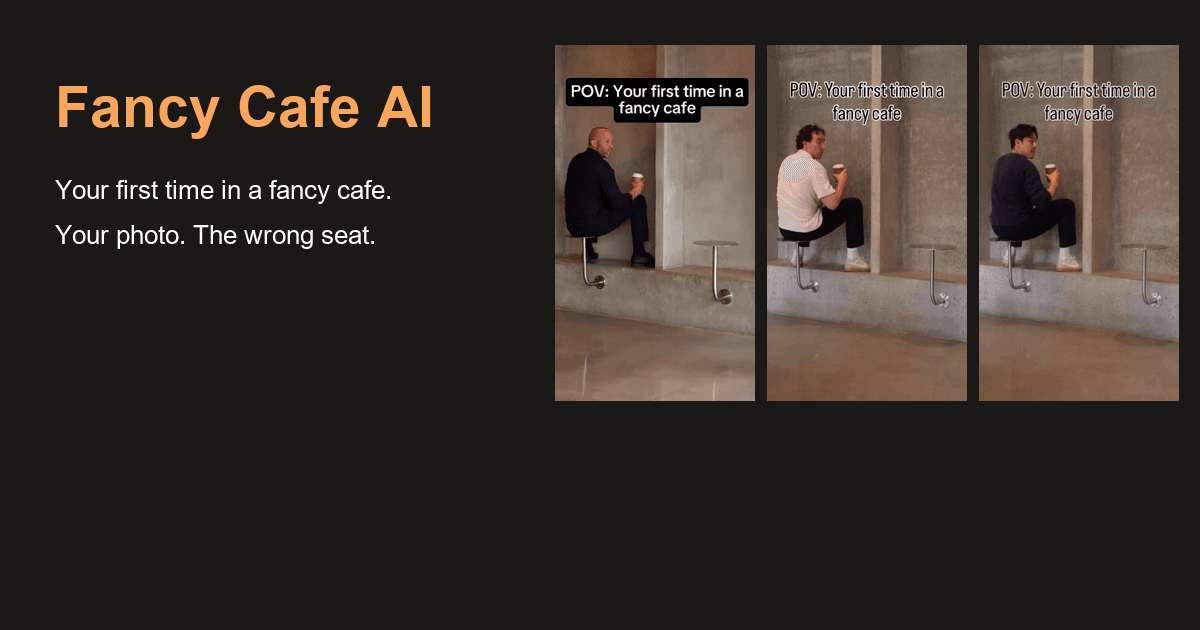
That Was a Table: Put Yourself in the Fancy Cafe Moment
A tiny table, a very confident entrance and an awkward discovery. Fancy Cafe AI lets you and a friend take the roles in the wrong-seat cafe scene.

Your Camera Roll Has More Stories to Tell: Meet HypeMigo
A selfie, a friend, a very serious-looking dog. HypeMigo gives familiar photos a playful new role in AI dance, duo and meme video templates.
Nieuwsbrief
Sluit je aan bij de gemeenschap
Schrijf u in op onze nieuwsbrief voor het laatste nieuws en updates